 Guard Viewer Docs
Introduction
Overview, typical networking, installation and connection, and system requirements
Overview
Our general solution, based on the mobile surveillance software, cloud servers and smart terminal devices, is a new generation of IT-based solution that employs the technologies of cloud computing, mobile Internet and big data. Comprising mobile service and Web service, the solution aims to offer healthy, low-carbon, smart, comfortable and secure information services to small and medium sized enterprises.
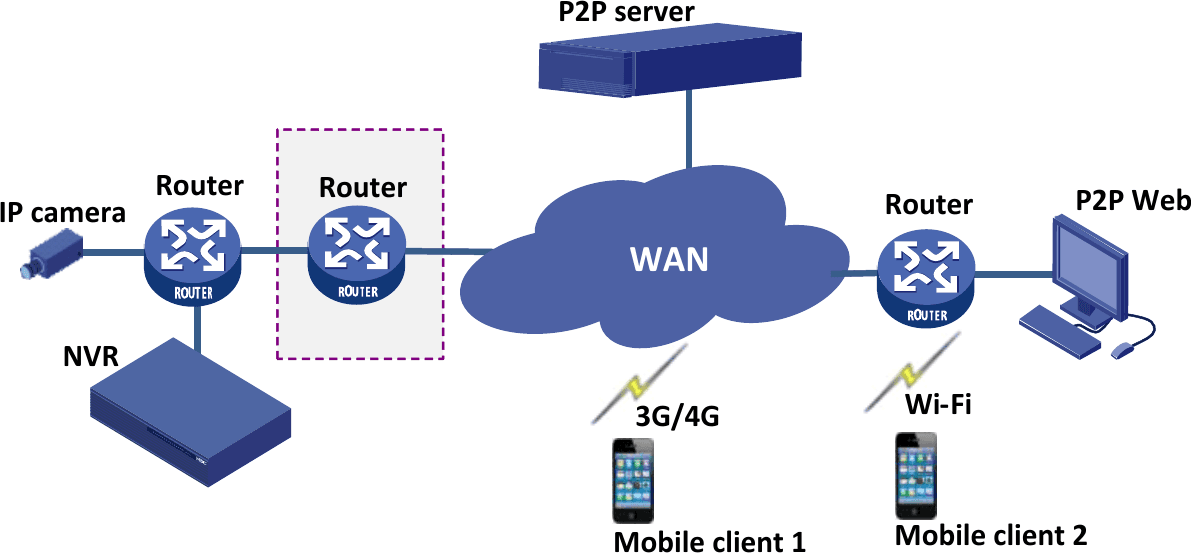
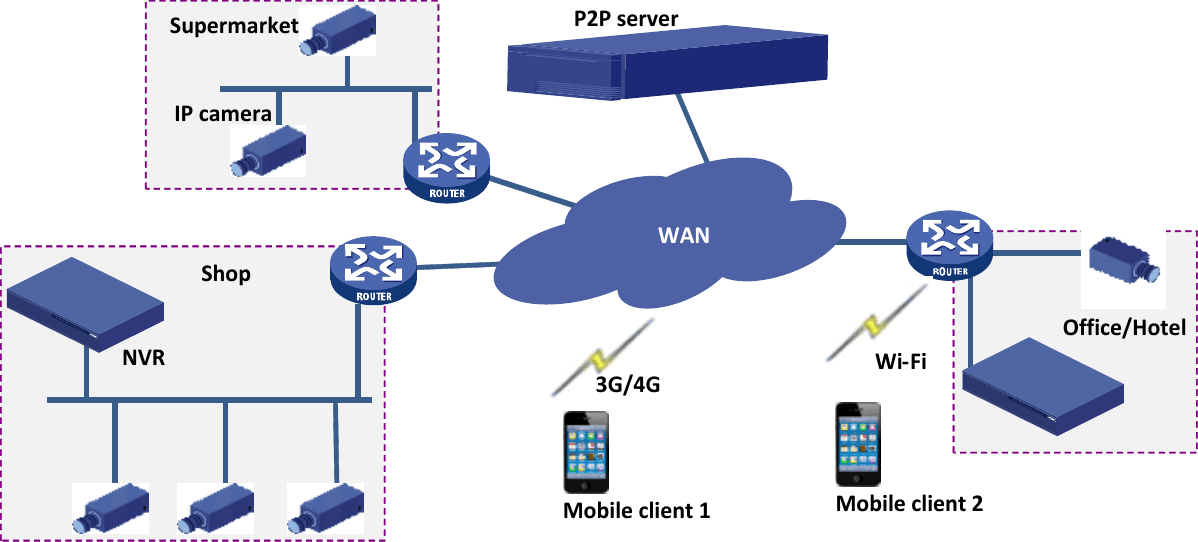
Typical Networking
Solution A
Solution B
Installation and Connection
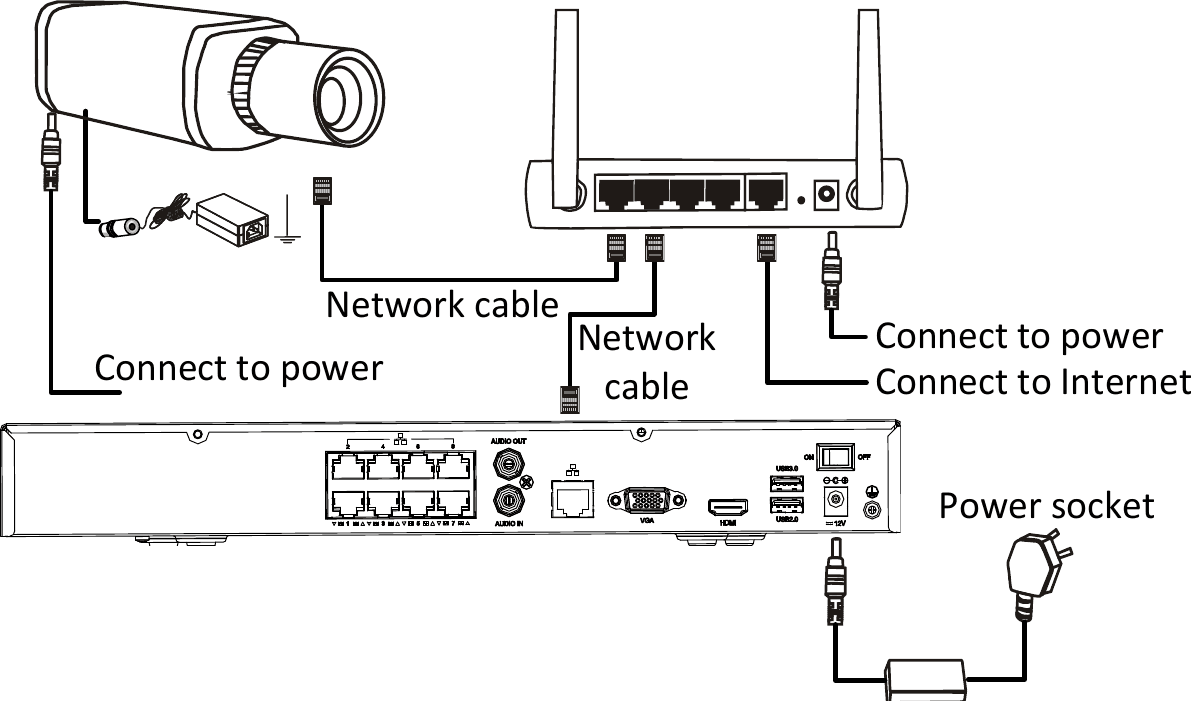
The terminal devices mentioned in this manual refer to IP cameras or network video recorders (NVR).
For the installation of devices, please refer to the user document delivered with the devices.
The connection of IP camera and NVR is illustrated as follows:
System Information
Requirements
Software
- iOS device: iOS 6.1 or later.
- Android device: Android 4.0 or later.
Hardware
- Display resolution: 480*800 or higher.
- CPU: 1 GHz or higher.
- Memory: 1 GB or higher.
Get the App
- Android: Search and download Guard Viewer in Google Play.
- iOS: Search and download Guard Viewer in App Store.
- It is recommended to download the app via Wi-Fi.
- The following part takes the iOS version as an example to introduce the app.
Once the app is installed, sign up or log in to start adding and managing devices. See Account and Devices.