 Guard Viewer Docs
Local Settings
Password protection, device Wi-Fi configuration, help, language, and other app settings
Tap Menu > Settings to modify local settings.
Password Protection
The app has no password protection by default.
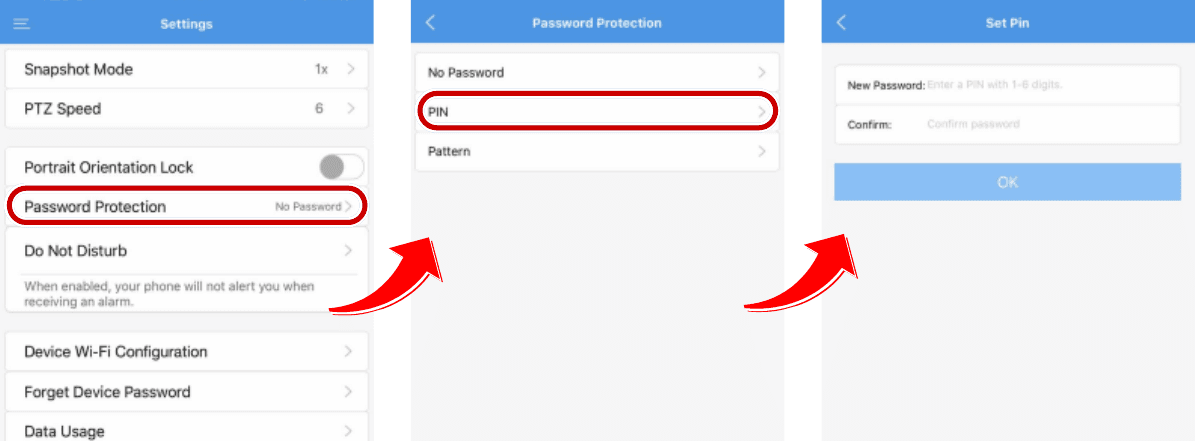
Set a PIN
- Tap Menu > Settings > Password Protection.
- Set the PIN as instructed.
- Restart the app for the PIN to take effect. Enter the PIN to unlock the app.
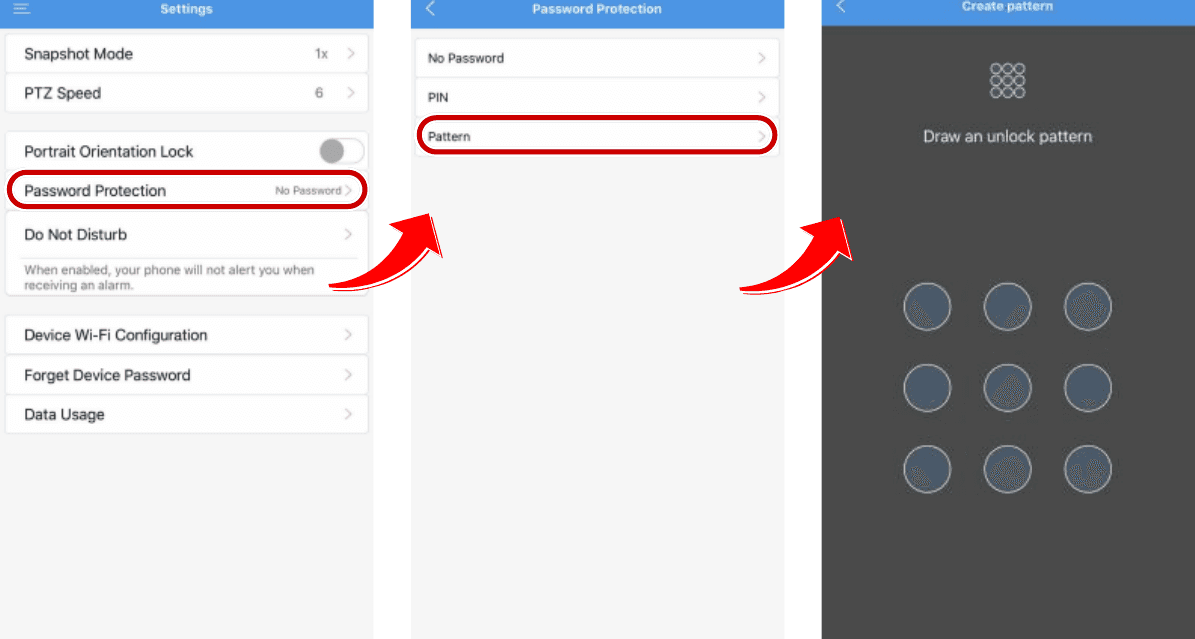
Set a Pattern
- Tap Menu > Settings > Password Protection.
- Set the pattern as instructed.
- Restart the app for the pattern to take effect. Draw the pattern to unlock the app.
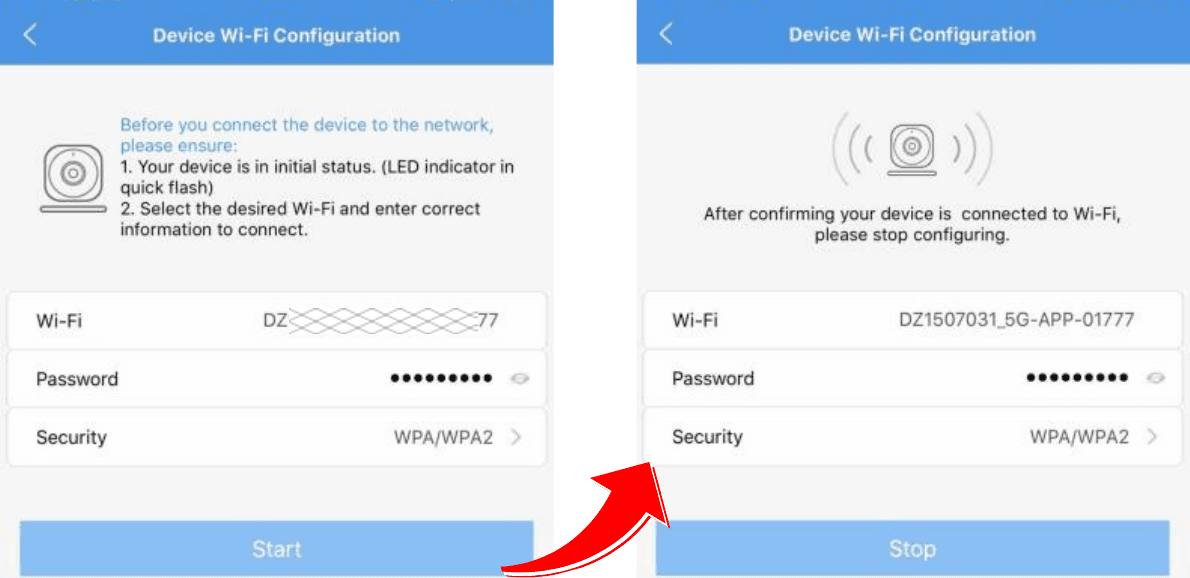
Device Wi-Fi Configuration
Use this tool to connect your smart device to a specified wireless network for further operations.
- Tap Menu > Settings > Device Wi-Fi Configuration.
- Enter the required information of the desired Wi-Fi.
- Restart or configure the device to initial status (with the indicator flashing) and tap Start.
- After the device has successfully connected to the specified Wi-Fi (the indicator stops flashing), tap Stop.
Other Local Settings
Other available local settings:
- Do Not Disturb (Enable/Disable)
- Data Usage (View/Clear All)
- Snapshot Mode
- PTZ Speed (1-9)
- Portrait Orientation Lock (Enable/Disable)
Help
Tap Menu > Help to view the help information.
Language
The app language will change according to the mobile operating system language.